A new body control module (part 3)
Yesterday I enabled predictive-ACC (pACC), for which I needed ODIS-S with online access to remove component protection. I needed to do the same when installing a new body control module (BCM). I already prepared the BCM and restored it to the factory defaults, so the BCM was ready for use.
The BCM is installed on the left side of the dashboard, behind the fuse box. I removed the 12 V battery and then removed the dashboard trim to get access. I found out that if you remove the three M8 bolts that hold the fuse box, you can have a bit more wiggle room to remove the BCM connectors first. Then you can carefully remove the BCM from the bracket. It is only secured by two plastic clips at the bottom. I used two plastic strips and pushed that in between the clips and the BCM. This way I could press the BCM out of the brackets. Installing the BCM is the other way around.
Once I reconnected the power, everything seemed to work as if nothing happened. Even the dynamic tail lights worked. However, soon after powering the car, I noticed that the virtual cockpit and the navigation screen were dim. This was a sign of that component protection was active. Connecting the car to ODIS-S confirmed this, and removal was an easy process that took only a few seconds.
The next thing I had to do was to pair the key fob to the BCM. The BCM has the antenna for the key fob, but it is the immobilizer (which is part of the instrument cluster) that is responsible for starting the car. I was still able to start the car, but the key fob buttons did not work. Back when I did a BCM swap for a PQ35 car, learning the key fob was an adaption in VCDS. For MQB, or at least with keyless-entry (Kessy), this is completely different.
At first, I looked at the guided functions in ODIS-S for adapting the keyfob. However, I could not find anything. After some googling, I figures that I could try adapting the immobilizer (which is a special function in ODIS-S). The first attempt completed successfully, but the key fob buttons still did not work. I tried again, this time making sure that the key fobs were not in the car to ensure that there is not interference. And then it worked. The final step was to clear all fault codes, and luckily no fault code remained.
Ambient lighting
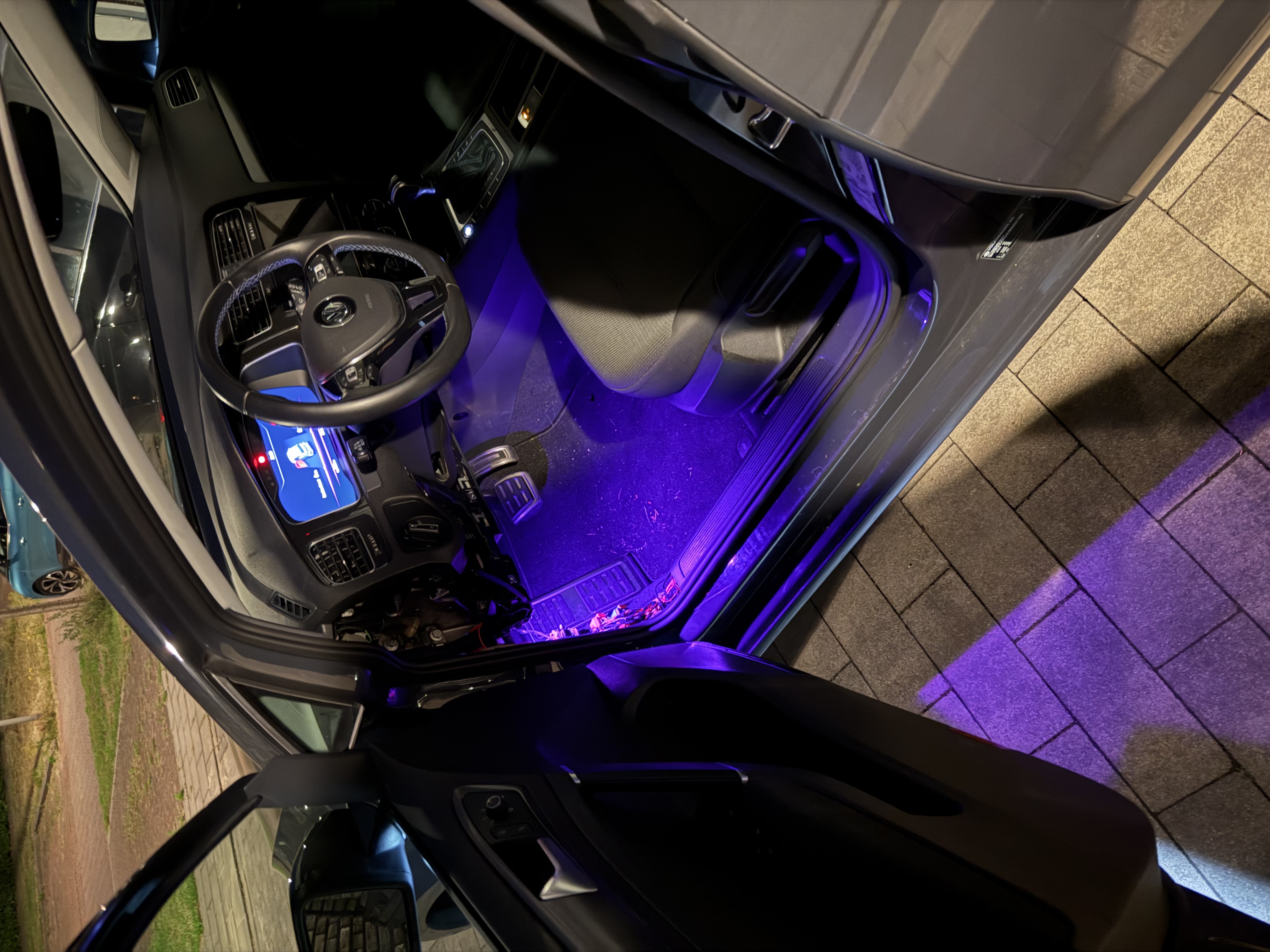
The end goal is to have the BCM support ambient lighting. I already prepared the additional wire on the C-side of the BCM connector, so I quickly hooked the driver side light up and coded the bare minimum to get it working. Once I finalized the wiring in the future, I will go over the wiring and coding in detail. But for now I confirmed that it works as expected.